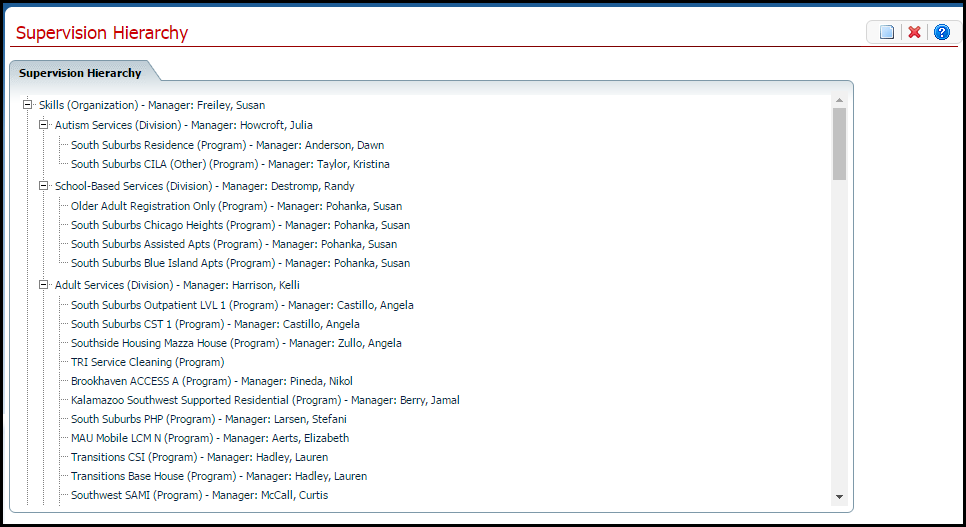
Setting up the Supervision Hierarchy in SmartCare defines all the levels of supervision relationships in the organization. When the Hierarchy is set up, you can assign widgets to let staff view:
· Documents
· Due dates for the staff they supervise
The levels of the hierarchy are:
· Organization
· Division
· Program
The staff that are entered for programs at the lowest level are then associated with the supervisors automatically based on the hierarchy of the levels above them.
Supervision Hierarchy sets up the information to populate widgets and dashboards for supervisors. However, setting up Supervision Hiearchy does not give access to the widgets and dashbaourd. Use the following task to set up the supervision dashboard:
· Set up the access in the StaffSupervisors table in SQL, mapping the supervisor Staff ID to the user Staff ID.
· Mark the supervisor as Supervisor = Y in the Staff table.
Before you set up Supervision Hierarchy in SmartCare, determine how many levels are needed in the hierarchy. When you set up the hierarchy, you set up the highest level first.
Follow this path: Administration tab > Organizational Setup banner > Supervision Hierarchy sub-banner.
The Supervision Hierarchy page is displayed. View field definitions.
From the Supervision Hierarchy page, you can:
Why can't I access these screens?