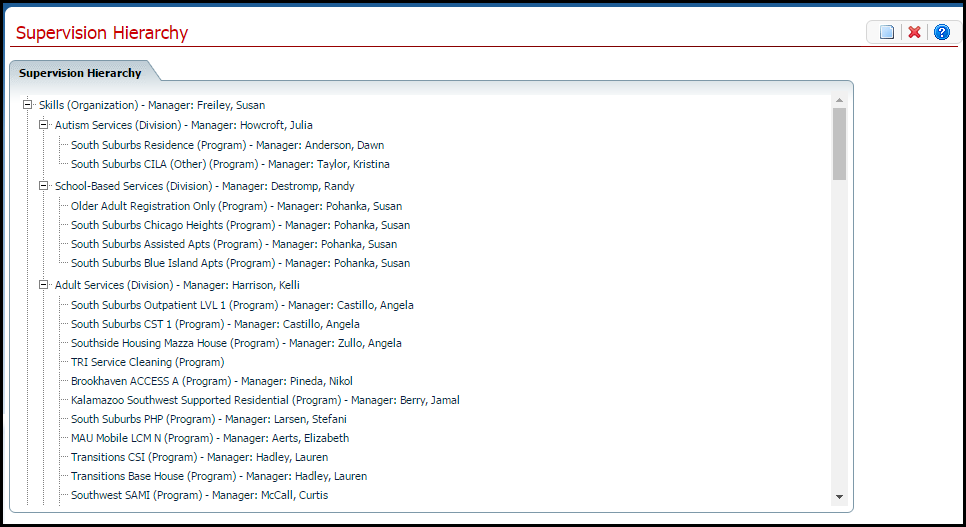
If there are staff who work in a program and report to the manager entered for the Program, add the staff to the Program in Supervision Hierarchy.
Use this task to:
Display the Supervision Hierarchy page. Tell me how...
The Supervision Hierarchy page is displayed. View field definitions.
Click on the Program where you want to add Staff.
The Supervision Level Detail page is displayed. View field definitions.
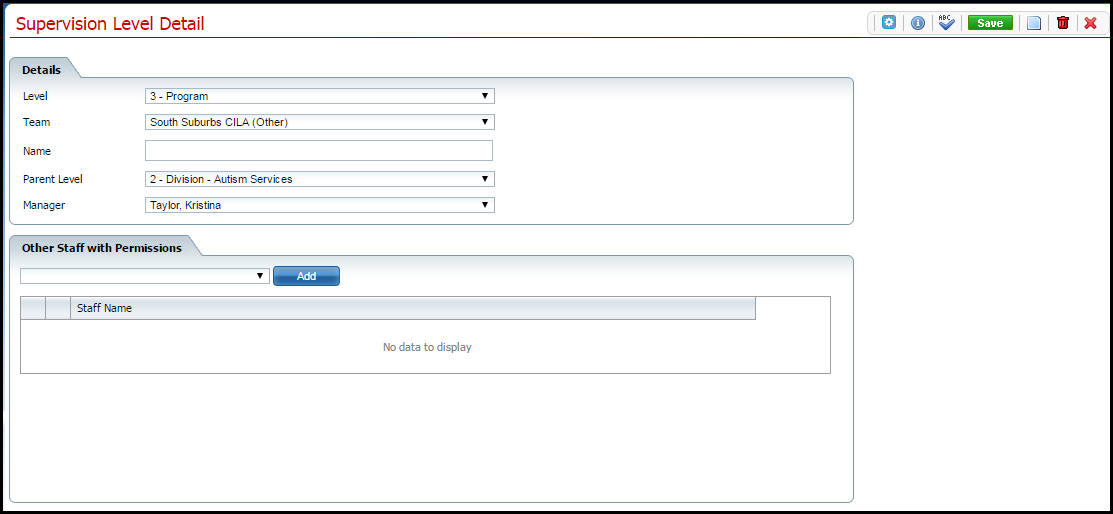
In the Other Staff with Permissions section, click the drop down arrow.
Select the staff member from the drop down list.
Click the Add button.
The staff member is added to the list below.
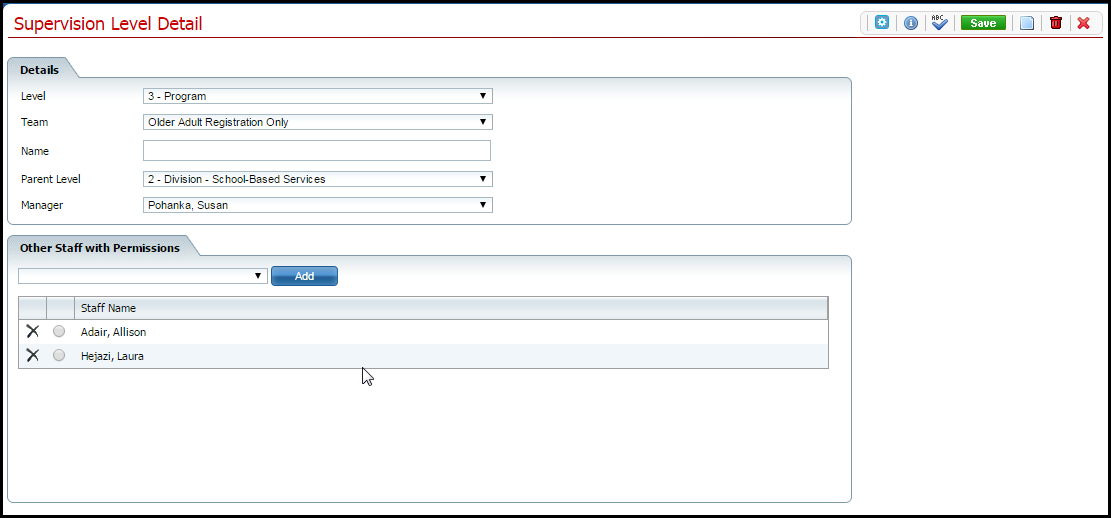
Click the Save button.
Click the Exit  item in the tool bar.
Display the Supervision Hierarchy page. Tell me how...
The Supervision Hierarchy page is displayed. View field definitions.
Click on the Program you want to change.
The Supervision Level Detail page is displayed. View field definitions.
Click the delete  icon on the line of the staff you want to delete.
The Confirmation Message window is displayed.
Click the OK button in the Confirmation Message window.
Click the Exit
item in the tool bar.
Why can't I access these screens?